OpenText Server Backup - Public Cloud
Back up Windows servers to the cloud. Recover what the business needs.
OpenText-hosted or BYOC with AWS
Encrypted in transit and at rest
File, volume or full-server recovery
Multi-customer management for MSPs
Choose the cloud storage path that fits
Use OpenText-hosted storage or bring your own AWS account
Simpler start
OpenText-hosted public cloud
- Backup storage hosted by OpenText in supported public cloud locations
- Faster onboarding — no customer-owned S3 configuration to validate
- OpenText manages the hosted storage environment
Direct AWS control
Bring Your Own Cloud with AWS
- Backup storage uses customer- or MSP-owned Amazon S3 buckets
- Requires supported S3 buckets, IAM permissions and console validation
- The AWS account owner manages storage, regions and cost
How it works
Choose OpenText-hosted public cloud storage or configure supported Amazon S3 storage in your own AWS account.
Apply a Server Backup policy and install the agent on each supported Windows server in scope.
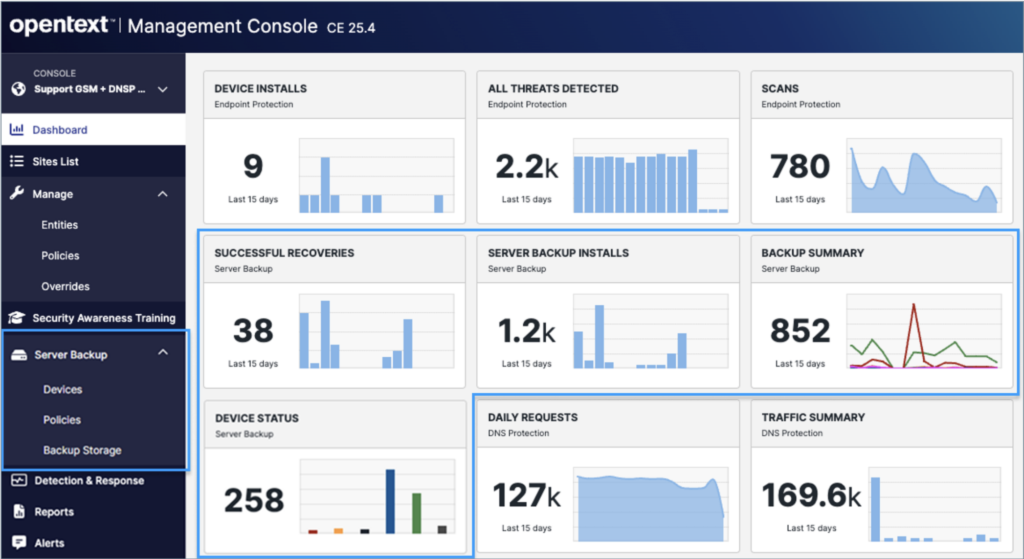
Monitor backup status and recover the files, volumes or complete server required for the incident.
Recover at the level the incident requires
Restore one file, a full volume or the entire server
Files and folders
Volumes
Complete servers
Recovery testing
One server backup product, two operating realities
MSP service manager
Add server recovery to the security services you already manage
SMB infrastructure module
Protect critical servers without adding a proprietary backup appliance
Protection designed for recovery
Keep backup data encrypted and access controlled
Important recovery responsibility:
The agent password is required to recover data and is not maintained elsewhere. Product onboarding and service documentation should tell customers how to store and govern this password securely.
See how Server Backup – Public Cloud supports cyber resilience
Review your server backup requirements
Talk to a backup specialist
Discuss the Windows servers you need to protect, the recovery levels required and whether OpenText-hosted storage or BYOC with AWS is the better fit.
FAQs
Which servers can I protect?
Prioritize laptops and workstations that hold business-critical data not reliably protected elsewhere, or where recovery requirements justify a dedicated endpoint backup policy.
Where is backup data stored?
What can I recover?
How does the backup reduce repeated data transfer?
How is backup data protected?
Backup data is encrypted in transit and at rest. Recovery requires the customer-controlled agent password created during installation.
Can MSPs manage more than one customer?
Yes. Authorized partner administrators can manage customer sites, devices, policies, storage setup and recovery activity through Secure Cloud and the Management Console.
Can I set different retention requirements?
Is a trial available?
OpenText Cybersecurity
Choose the public cloud backup path that fits your servers and your operating model
Compare OpenText-hosted storage and BYOC with AWS, then review your server scope, retention and recovery requirements with a backup specialist.